
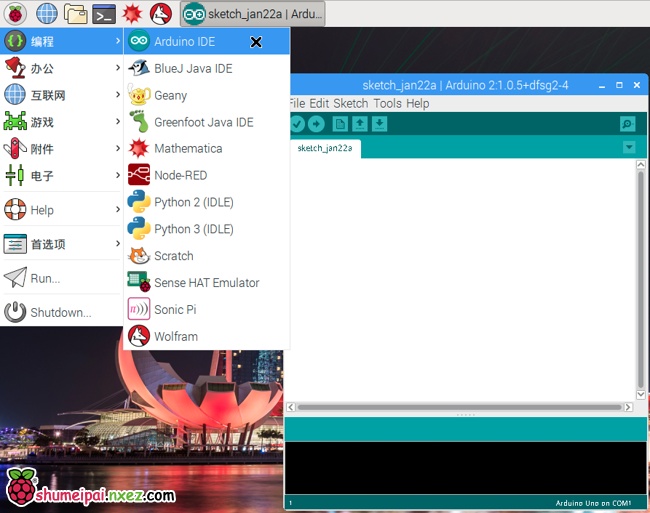
Arduino 与 树莓派是 Maker 们创作的两大利器。在接触树莓派之前,我们通常是在 PC 上安装 Arduino 的 IDE 进行 Arduino 开发,而今有了树莓派,PC 的在 Arduino 开发中所起的作用将被树莓派替代了,现在可以直接在树莓派上安装 Arduino IDE 进行 Arduino 开发。下面来介绍具体方法。
由于 Arduino IDE 是图形界面的,所以不用说你的树莓派需要是图形界面版本而非 Lite、Core 版。
一、安装 Arduino IDE
直接命令行安装最简单:
sudo apt-get install arduino
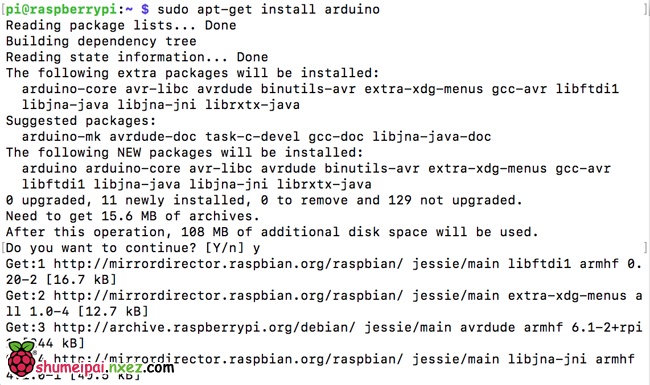
之后主菜单中会出现 Arduino IDE 的菜单。
二、连接 Arduino 开发板
1、通过 USB 将 Arduino 开发板和树莓派连接起来,同 Arduino 连接 PC 一样。
因树莓派 USB 口限流,将 Arduino 板的供电接口同时外接 9-12V 的电源适配器供电更好。
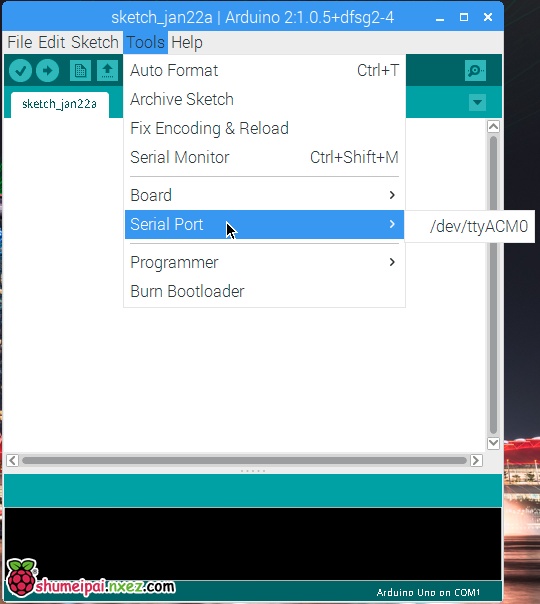
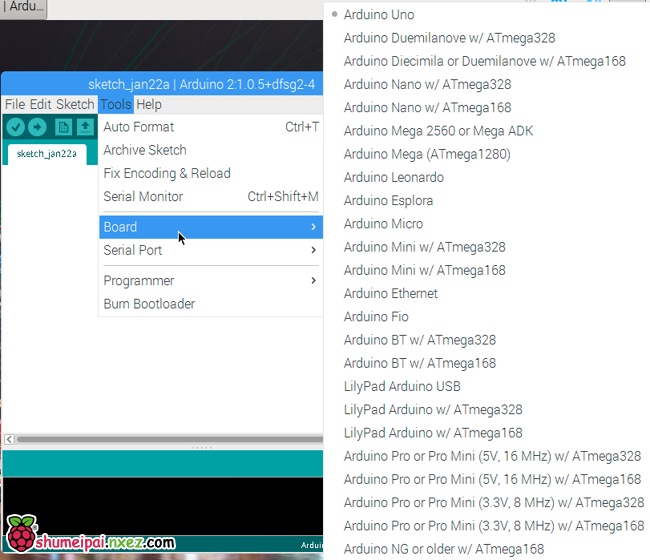
2、配置通信端口
菜单:Tools -> Port:”/dev/ttyxxx” -> 选择”/dev/ttyACM0″
3、编译测试
菜单:File -> Examples -> 01.Basics -> Blink

点击工具栏 Upload 按钮,将自动完成编译后并下载到板子上,看到界面下方出现 “Done uploading” 即可。

啊哈,正需要呢~开心开心,希望能出更多利用起树莓派特性的arduino项目教程~~~
不错,谢谢!
安装好好后arduino ide软件并在终端输入root@raspberrypi:/home/pi# sudo usermod -a -G tty pi
root@raspberrypi:/home/pi# sudo usermod -a -G dialout pi,但TOOLS-port是灰色的,望大神给解决一下
Please Read
It might happen that when you upload a sketch – after you have selected your board and the serial port -, you get an error Error opening serial port … If you get this error, you need to set serial port permission.
Open Terminal and type:
ls -l /dev/ttyACM*
you will get something like:
crw-rw—- 1 root dialout 188, 0 5 apr 23.01 ttyACM0
The “0” at the end of ACM might be a different number, or multiple entries might be returned. The data we need is “dialout” (is the group owner of the file).
Now we just need to add our user to the group:
sudo usermod -a -G dialout
where is your Linux user name. You will need to log out and log in again for this change to take effect.
This is the procedure to access the serial port from the Arduino Software (IDE) if you get an error
After this procedure, you should be able to proceed normally and upload the sketch to your board or use the Serial Monitor.
The text of the Arduino getting started guide is licensed under a Creative Commons Attribution-ShareAlike 3.0 License. Code samples in the guide are released into the public domain.
sudo usermod -a -G dialout